
Flights
A Flight is a durable record of an agent acting on a product signal. It keeps the signal that prompted the work, the repository and source revision used by the sandbox, the outcome, and a portable copy of the agent session.
Only organization members and administrators can start or inspect Flights.
Flights run only after an operator configures three things: model inference, the GitHub App, and a sandbox runner. Until all three are in place, Forage shows the option to start a Flight as paused.
Start a Flight
Open a supported Grafana alert or GitHub issue in Forage, choose a linked repository and objective, then select Start Flight. Flights never start just because Hive received an alert or synchronized an issue.
Each Flight has one objective:
- Investigate gathers evidence and reports a likely root cause without publishing repository changes.
- Reproduce runs a focused reproduction attempt without publishing repository changes.
Not reproducedis a successful objective outcome, not an execution failure. - Fix prepares a focused code change and publishes a pull request when the sandbox returns changed files.
You can also start a Grafana alert Flight from Slack. Reply in the alert thread with @Hive investigate this, @Hive reproduce this, or @Hive fix this. Hive matches the original Grafana or Hive Forage link, checks the linked Hive account, and starts the same workflow used by the dashboard. When a project has several repositories, include the full repository name in the command. Hive updates one message in the thread as the Flight moves from queued to running and then completes or fails.
The agent receives an isolated snapshot of the repository and the alert context. Every objective can inspect the repository and run commands in that sandbox, while only a Fix Flight can change files. The sandbox never receives the GitHub App credential or model token.
When execution finishes, Hive either publishes a pull request for a Fix Flight or records a report. Reports from GitHub issue Flights are also published as an issue comment with the outcome, validation, and Flight link. Failed Flights keep their error and any session captured before the failure.
Execution status and objective outcome are separate. A Flight can therefore be Succeeded with an outcome such as Not reproduced, No change, or Inconclusive.
Inspect the history
Open Flights to search and filter the complete history by status, objective, objective outcome, runner, or repository. Every row links to the related Forage item when that item is still visible.
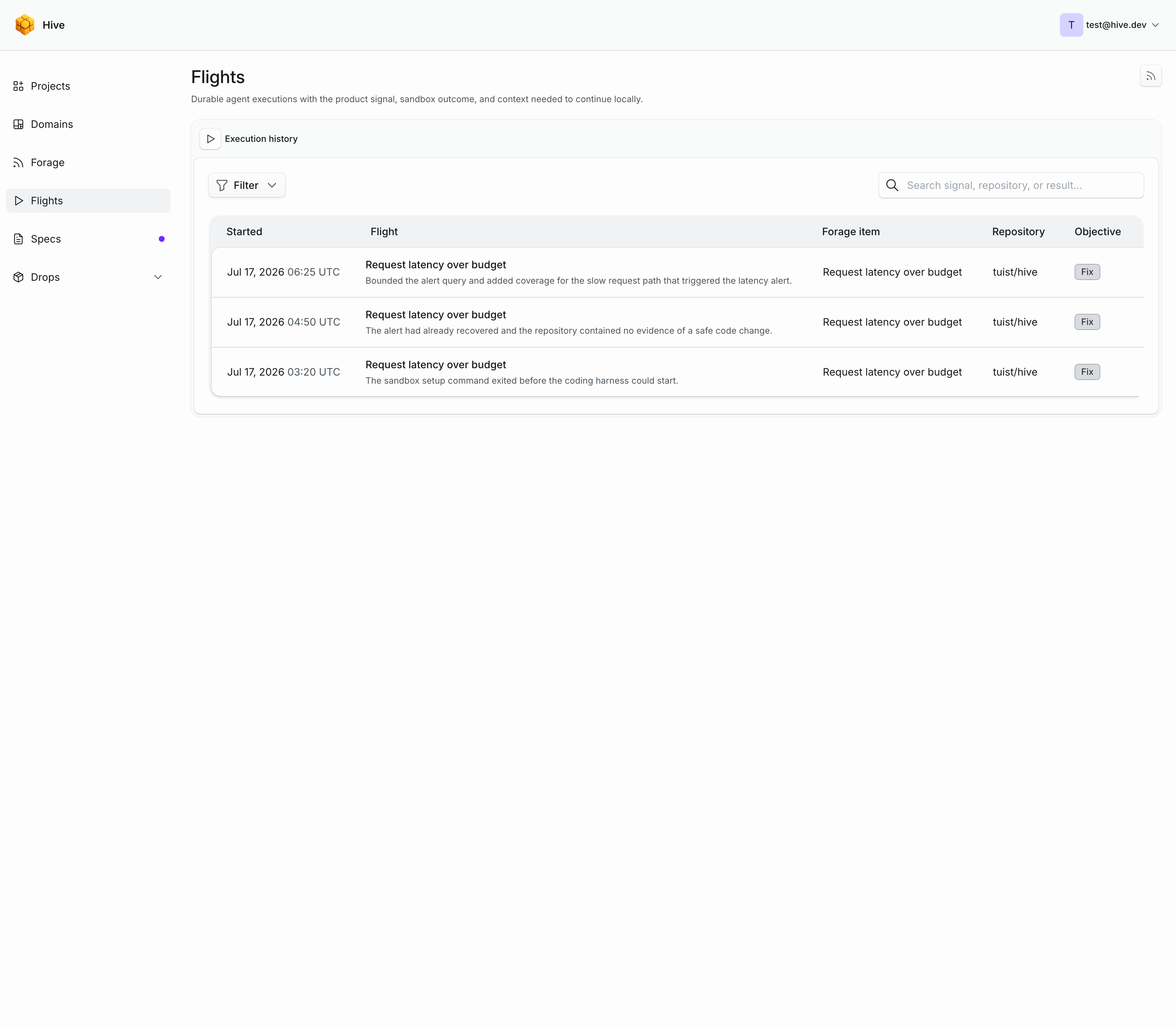
The Flight detail page includes:
- The objective, objective outcome, trigger, repository, sandbox identifier, requester, timestamps, and source revision.
- The pull request or report outcome and completed validation.
- The user prompts, agent responses, tool calls, and tool results from the sandbox session.
- Commands for checking out the recorded revision and retrieving the same Flight from a local client.
Model thinking blocks are not retained. The sandbox itself is destroyed after execution, so continuing locally means restoring the recorded repository revision and session context rather than reconnecting to a running sandbox.
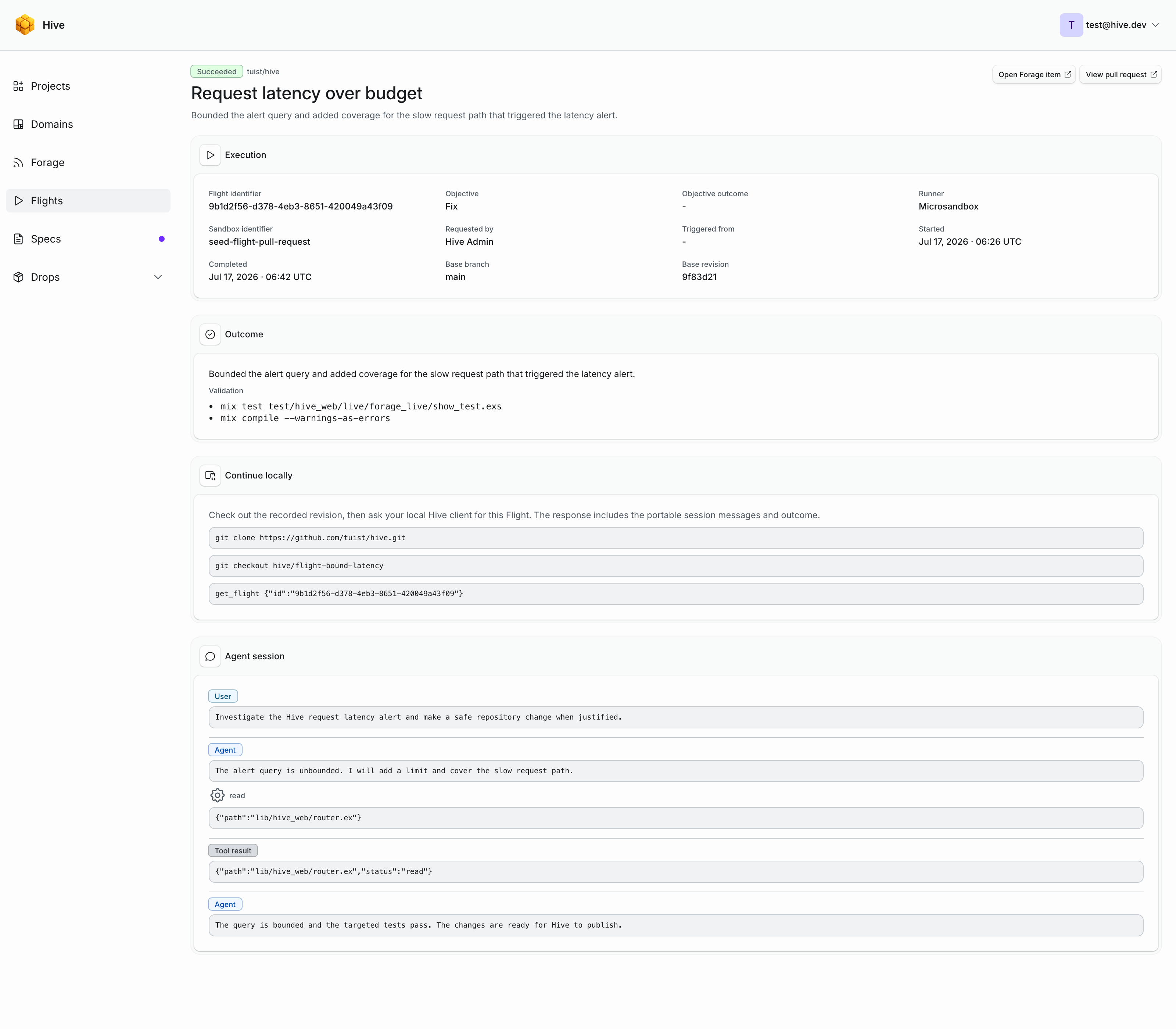
Continue locally
Clone the repository and check out the branch recorded on a successful pull request. When no branch was published, check out the Flight's base revision.
Retrieve the complete Flight through either:
get_flightfrom a Model Context Protocol client connected to Hive.GET /api/flights/:idfrom the Hive application programming interface (API); see the interface reference.
The response includes the source metadata, result, and portable session. A local coding client can use those messages and tool results as the handoff context for continuing the work in the checked-out repository.
The list_flights tool and GET /api/flights endpoint return history without embedding every session. Fetch one Flight by identifier when the continuation context is needed.
Connected clients can start any supported item with start_forage_item_flight. The earlier start_grafana_alert_flight tool also accepts an objective and remains available for Grafana-specific clients.
Subscribe
The Flights page exposes member-only Atom 1.0 and Really Simple Syndication 2.0 feeds. See the feed reference for their addresses.